The answer to the question “what charger should I use for my phone?” used to be simple – the right charger came in the box. That hasn’t been true for a while now, at least not for most phones in most regions. Now you are expected to go out and buy your own charger. But which one?
The main problem is that the U in USB is a lie – it’s universal only if you are okay with outdated data speeds and slow charging. If you want more than 480Mbps and 10W, then things are a lot more fractured.
There are standards that come from the USB Implementers Forum and all phones do support them as a baseline. And that is a good place to start, but even that is not so simple as new protocols get introduced. A lot of makers built proprietary tech to push the limits beyond what standard USB supported at the time and now, even though USB caught up, the non-standard charging tech is quite common.
In this article we will explore the world of smartphone charging and everything you need to know to pick the right one for your phone and use-case.
You don’t need the fastest charger
We have tested phones with 200+ watt charging support and while they are quite impressive, most of you don’t need that much most of the time. You might not even need a 100W charger.
For example, recently we tested the OnePlus 15, which has a massive 7,300mAh battery and supports super fast 120W charging. However, that uses a proprietary standard (more on that later). We also tested it with a standard 55W USB PPS charger. Here is how that went:
As you can see, the 120W charger is faster, but it’s certainly not twice as fast as a 55W charger. Is saving 9 minutes on a full charge a meaningful difference in day-to-day use?
The ABCs of USB PD PPS and AVS
USB-C was enshrined as the power connector of choice for modern electronics. However, that only defines the plug and cable – USB Power Delivery (often shortened to just “PD”) defines the electrical connection (at least when you need more than the basic 10W).
The base Power Delivery standard has several profiles that work at fixed voltages (5V, 9V, 12V, 15V, 20V) and fixed currents. Multiply the two and you get the watts.
A more advanced standard is called Programmable Power Supply (or “PPS”). This extends the voltage range from 3.3V to 21V and instead of big fixed steps, it allows for fine-grained control over voltage (in 0.02V steps) and current (in 0.05A steps). We won’t bore you with the details, the important thing is that you can’t charge a lithium battery at 20V – you have to step down that voltage to around 4V or so. This can happen in the phone or it can happen at the charger – either way, it creates heat and it’s better if that happens at the charger end.
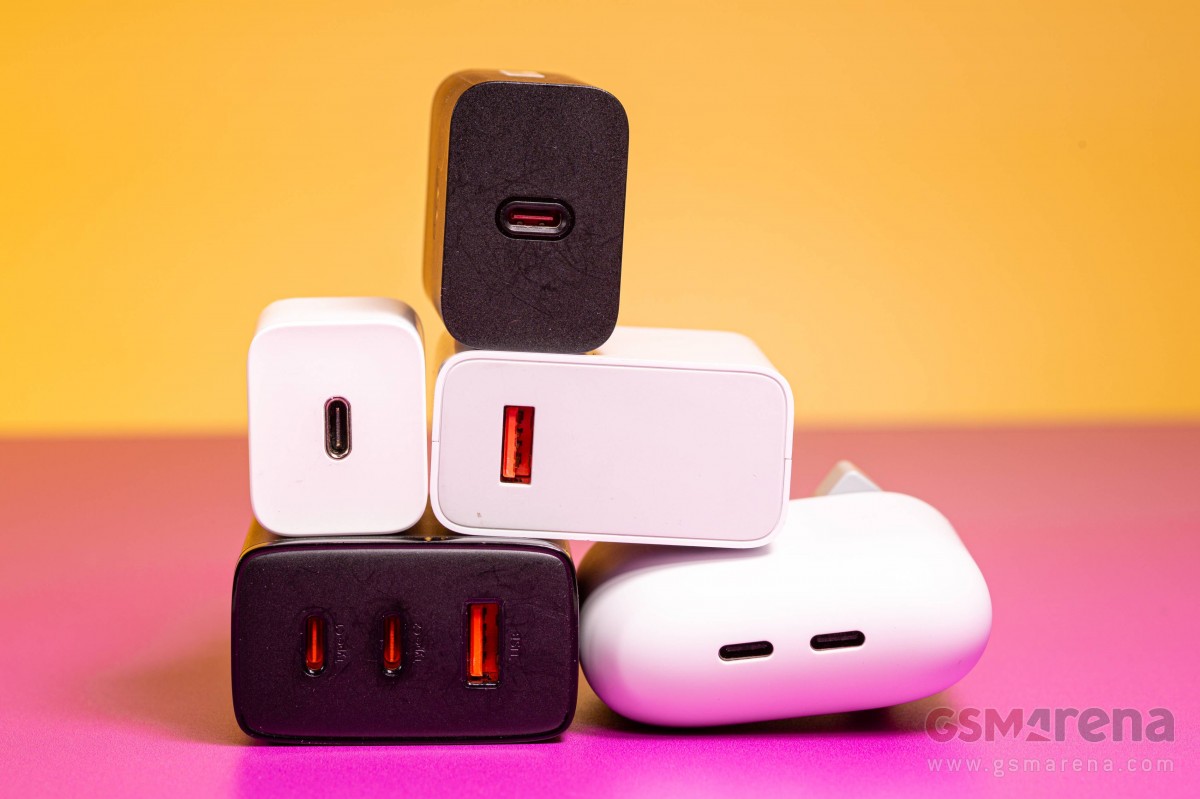
More recently, we saw the introduction of Adjustable Voltage Supply. There’s more to it but to spare you another initialism, let’s just say that this ranges from 9V all the way up to 48V and 5A for 240W maximum power. We will talk about amps in a moment. The gist of it is that cables can carry a limited amount of current, so higher power means higher voltage. It is the job of the charge control circuitry to pick the values that work best for the phone, its battery and what the charger can deliver.
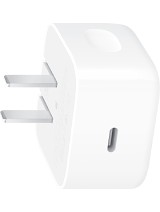
AVS is still pretty new, but there are two options from big brands that check the “good enough” box. The Google Pixel Flex Dual Port 67W charger supports both PPS and AVS and can charge two devices simultaneously with up to 67W of power.
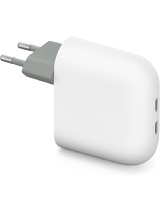
The Apple 40W Dynamic Power Adapter with 60W Max only has basic PD support on top of AVS and offers less power than the Google charger. It has only one USB-C port too, so you will have to charge your devices one at a time.
You might want a fast charger, anyway
As explained in a previous chapter, you shouldn’t feel compelled to get the fastest charger possible. But here’s why you might want to, anyway. As we mentioned, USB-C is the common charging plug for all modern electronics – in a growing number of regions, it is even required by law.
USB-C can charge your phone – but also your laptop, tablet, power bank, action camera, drone, flashlight, even some small power tools.
For charging laptops, you want at least a 65W charger (though lower wattage ones will do in a pinch). For high-power laptops, you should definitely look at 100+ watt chargers.
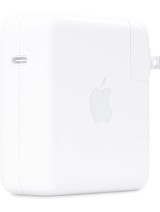
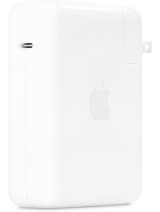
Apple, for example, sells 70W, 96W and 140W chargers. Here are the latter two. The 140W model is fairly bulky, but it’s what Apple recommends for 16” MacBook Pros introduced after 2021. 14” ones can use the 70W and 96W chargers.
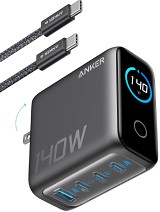
We already saw another reason to pick up a higher power charger – they often have more USB ports, so that you can charge multiple devices at once. We will talk about travel chargers in a later section, but you can lighten your luggage if you carry one multi-port charger for you and your family.
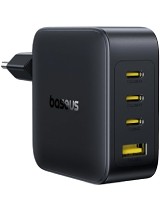
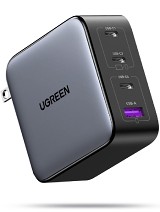
Cables matter
Before we get any further, we have to talk about a crucial component that often gets overlooked – the cable. If you push too much current through thin wires, they will melt and can cause other issues too.
For this reason, modern high-power chargers will check cables for something called an E-marker – it is a small chip that tells the charger about the cable’s limits. You need a cable with an E-marker to get over the 3A limit. If the phone can negotiate 20V out of the charger, then the maximum charge power is 60W. However, many phones and chargers don’t go that high – some are limited to only 9V, meaning 27W with a 3A cable.
Manufacturers are really bad at labeling what their products support, but most cables do at least list their maximum wattage. And with the E-marker requirement, you can be sure that a charger won’t push a cheap cable beyond its limit.
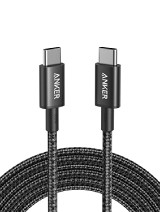
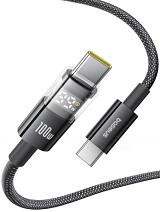
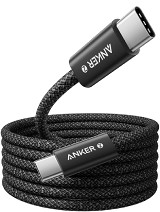
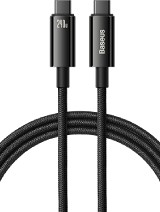
Some cables have status LEDs to show that the connected device is charging. And some are more elaborate and have built-in displays that show the power (in watts) that the connected device is pulling in. Smartphones usually give you a vague description such as “fast charging” but usually don’t display an actual power rating. A cable such as the 100W Baseus above can lift the veil on that.
Here’s a snag – most high-power USB cables only have the wiring for USB 2.0. If 480Mbps is enough for your use case (or you don’t plan to transfer data using the cable at all), then that’s no problem. But if you’re going to use this cable with a laptop, higher data transfer speeds may be required. Wouldn’t it be nice not to have to carry an extra cable just to get full speed out of an external SSD or to get video out over USB-C?
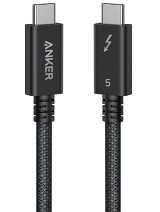
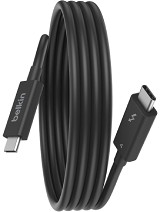
Again, manufacturers are terrible at labeling things. So, while high-power USB 3.x cables certainly do exist, the safest bet is usually getting a Thunderbolt cable. The differences between USB and Thunderbolt mostly don’t matter for this discussion. The important thing is that a cable labeled Thunderbolt will support both high-speed data transfers and its rated power. If you plan on driving some high resolution displays (above 4K), do check that rating too as it differs between Thunderbolt 3, 4 and 5 cables.
Travel chargers
There are tiny 30W-45W chargers, which can be great for traveling – they are not fast, but they add the least amount of bulk to your already tightly-packed luggage. For short trips, these are probably the best option.
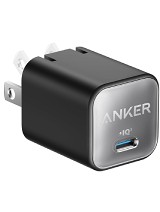
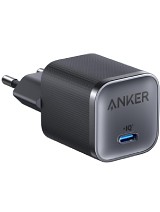
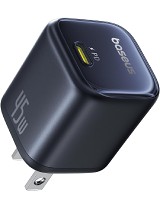
However, there’s a catch – there are several outlet types around the world. What if your charger doesn’t fit? Well, universal travel adapters are nothing new, but they do add an extra thing to carry. Instead, you can kill two birds with one stone.
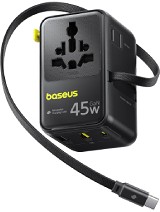
The Baseus EnerCore CG11 can plug into just about any outlet on earth and lets you plug in AC devices with just about any connector. And it lets you leave your charger at home – it has an integrated 70W charger with a built-in USB-C cable. There is an extra USB-C and two USB-A ports, so you can charge multiple devices simultaneously.
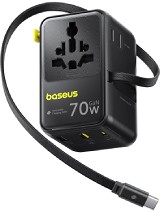
Baseus also has the Picogo AG11, which tops out at 45W and is a bit cheaper. Note that this supports 100V-250V outlets, but it is not a voltage converter (which should only be an issue if you have an AC device that isn’t dual-voltage).
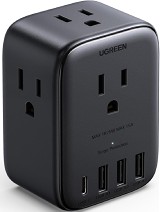
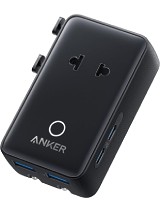
Anker has a similar, though more limited device. It can go into any outlet, but you can’t connect UK-style plugs to it. Worse, it only has 20W to split between two USB-C and two USB-A ports.
Chargers with a built-in battery
A special case for a travel adapter is one that combines a charger and power bank into one. The problem this solves is forgetting to charge your power bank and only finding out after your phone dies. With these chargers, the power bank is topped up every time you plug them into the wall, so as you unplug it and leave your hotel, you know that your power bank is charged.
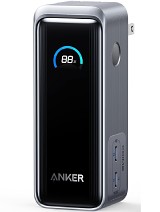
The Anker Prime Power Bank, for example, is a 65W charger with two USB-C ports and a 9,600mAh battery inside. Note that without wall power, the maximum output is limited to 30W.
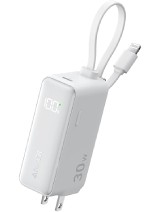
The Anker Power Bank is a more compact version of the same thing – it’s a 30W charger and a 5,000mAh power bank with an integrated USB-C cable (19cm/7.5in) and an additional USB-C port. Now, 30W isn’t much to split between two phones (and it drops to 22.5W when used in power bank mode), but it’s perfect for charging a phone and headphones, for example.
Wireless chargers
Wireless chargers use the Qi standard – newer ones use the improved Qi2. The Qi standard is relatively slow as it tops out at 25W. Many chargers are lower than that, 10W-15W. There are faster wireless chargers, but for that you will have to go the chapter on proprietary chargers.
Apple devices are compatible with Qi and indeed the Qi2 release took a lot of inspiration from MagSafe. It’s important to note that there are two kinds of Qi2 chargers – magnetic (which are fully compatible with MagSafe) and non-magnetic.
The magnetic ones are more efficient because the magnets help align the phone’s coil with the charger’s coil. Misalignment slows down charging and produces heat. They can also be more attractive, serving as stands for the phone, not just a charger.
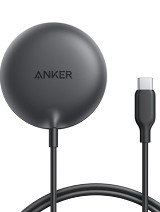
The simplest form of a wireless charger is this – a puck. This one in particular uses magnets, but there are some that use suction cups if you want a secure attachment but don’t have a phone with magnets on the back. Remember – there are cases with built-in magnets for various models, so that part is easy to solve.
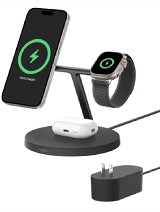
Here’s a more elaborate charger – Belkin put some effort into the design and it’s a practical charger too as it can charge your Apple Watch and AirPods at the same time.
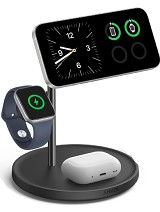
Anker has a similar charging stand. Note that quite a few TWS buds have cases with Qi charging support, it’s not just the AirPods. Some smartwatches do too, though most rely on pogo pins.
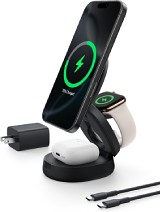
Some 3-in-1 wireless chargers can be great for traveling too – they fold down compactly for traveling, then unfold to hold your phone as a night clock. This Belkin one can charge your Apple Watch and AirPods too.
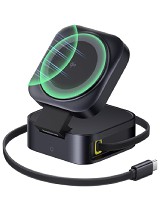
Here’s a clever charger from Baseus. First, it has an integrated USB-C cable, so there’s no danger of forgetting or losing the cable. But there’s also a USB-C port. If you plug in a powerful charger into the port and the USB-C cable into your laptop, then the PicoGo W2 can charge your phone at 15W while also delivering up to 65W to your laptop. That’s a neat setup for your home and a capable two part solution for traveling (don’t forget a wall charger, though!).
Proprietary charging standards
If you decide that 60W or so is fast enough for your phone, then the USB PPS/AVS chargers we listed above are all that you need to look at.
But if you have a phone with a proprietary charging standard and you want to get the lowest charging times, then you have to pick up a charger that supports the given proprietary standard. Here are the major types.
VOOC (lately SuperVOOC) is used by Oppo, Realme and OnePlus devices. Chargers from any of those brands will do the trick as long as you match the wattage requirement for your phone. Many have more than one port too.
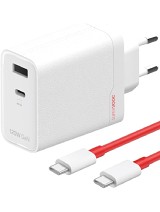
Here is a good place to mention this – high-power chargers may operate at a lower rate in regions with 110V electricity than 220V. This only affects some of the really high-power ones (OnePlus chargers are affected, for example). It may or may not be a coincidence that few phones that support such charge rates are available in 110V regions like North America or Japan.
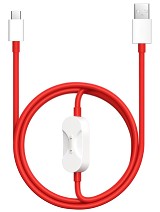
If you go all-in on one brand, you can benefit from some clever tricks – for example, this OnePlus cable can simultaneously charge your smartwatch (so that you can leave the proprietary watch charger at home).
Motorola TurboPower builds on Qualcomm’s QuickCharge. It offers voltage regulation and thermal management, plus overcurrent protection.
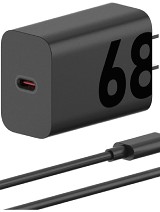
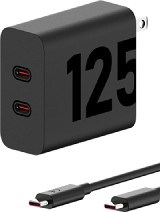
Xiaomi calls its tech HyperCharge. Like others, it has systems for voltage regulation for optimal charging and it constantly monitors temperatures to ensure that the process is safe.
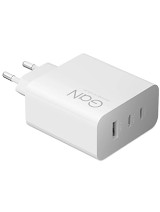
Honor has its own standard called SuperCharge. It says that chargers feature overheating and short circuit protections, as well as under- and over-voltage protection.
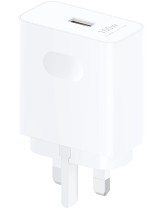
If all of this sounds too convoluted, there’s hope – the UFCS 2.0 (Universal Fast Charging Standard) is seeing support from Oppo, vivo, Honor and Huawei. However, the standard only promises a 40W minimum in cross-brand scenarios, which is below what many phones support with PPS.
Proprietary wireless chargers
While Qi is the lingua franca of wireless charging, many makers were not satisfied with the slow speed, so they developed their own solutions. These carry over the protections of their wired counterparts and feature proprietary ways to boost efficiency.
For example, Oppo claims that typical wireless chargers have a conversion efficiency of 96%, while its AirVOOC chargers can go as high as 98% efficient.

Wireless chargers can have multiple coils in order to handle different positions and orientations of the phone. For example, this charger from Honor has two coils so that it can charge the phone both when it is upright and when you put it in landscape orientation.

Chargers for gaming (and maybe work)
Handheld consoles like the Nintendo Switch and the Valve Steam Deck have given rise to a variety of USB hubs. But those are very much focused on consoles.
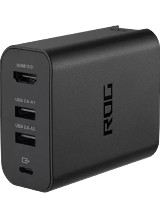
The Asus ROG Gaming Charger Dock is obviously built for the ROG Ally, but it can be useful for phones too. It is the minimal setup that you need to game on a TV – you get 65W out of the USB-C port, up to 4K @ 60fps out of the HDMI port and there’s a USB-A port for a wired controller (it’s a 5W USB 2.0 port, so it’s really only good for controllers).
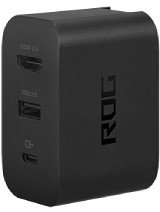
You can use this for gaming – either native Android/iOS games or for streaming – and you can use it for work too with a DeX-enabled Samsung phone or a Motorola with Ready For, for example. There’s also a more powerful 100W version, which has two USB-A ports (one for a keyboard and one for a mouse or maybe just two wired controllers).
Sometimes, the charger temporarily disconnects devices
One issue that you may have run into is that chargers will temporarily disconnect devices every time you plug in a new device (or when you unplug one). For phones, laptops and other devices that run on battery, this is an annoyance but not a problem.
However, if you are running devices without a battery – e.g. a camera or a Raspberry Pi – the device will reboot when it loses power.The reason behind this is that once a new device connects, the charger needs to redistribute its available power to make room for the new device. And the simplest way to do it is to disconnect all ports and renegotiate the power they get.
Some chargers handle this properly, but they are few and far between. Worse, it’s not something that most manufacturers advertise, so the only way to know is to find someone on the Internet who has that particular charger and has tested for this particular issue.
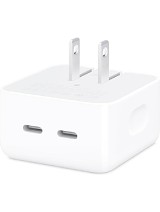
The Apple 35W dual-port charger doesn’t disconnect when you plug in a new device. Though, admittedly, at 35W total power, there isn’t much to negotiate, anyway.
But there do exist more powerful chargers – this 108W Belkin has good reputation for not disconnecting devices, for example.
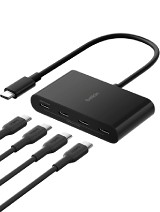
External monitors running over USB-C might also be affected, temporarily losing video signal. For laptops – and other battery-powered devices – USB PD 3.0 introduced the Fast Role Swap (FRS) feature. FRS allows the dock to tell the laptop that it can no longer provide power but needs power from the laptop instead (hence the name). This Belkin USB hub was introduced with FRS as a key feature.
Power strips with integrated chargers
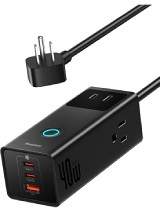
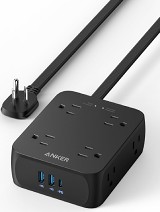
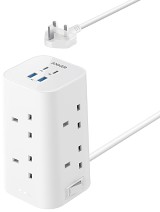
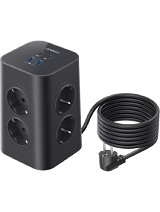
A common issue is not having enough outlets in a room and the usual solution to that is a power strip. There are ways to kill two birds with one stone – a power strip with an integrated charger.
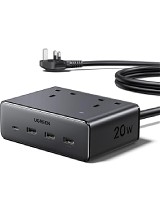
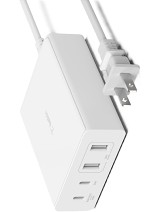
Note that most of these are fairly low power, but there are some 60+ watt options.